 Skip to content

 ORDER HELPER
Supplier management · Guide 7 of 8
Manage supplier communication with Supplier CRM
Bring supplier status, order history, delivery signals, inbound replies and internal team notes into one structured workspace.
One operational record
See the relationship, not just the last email
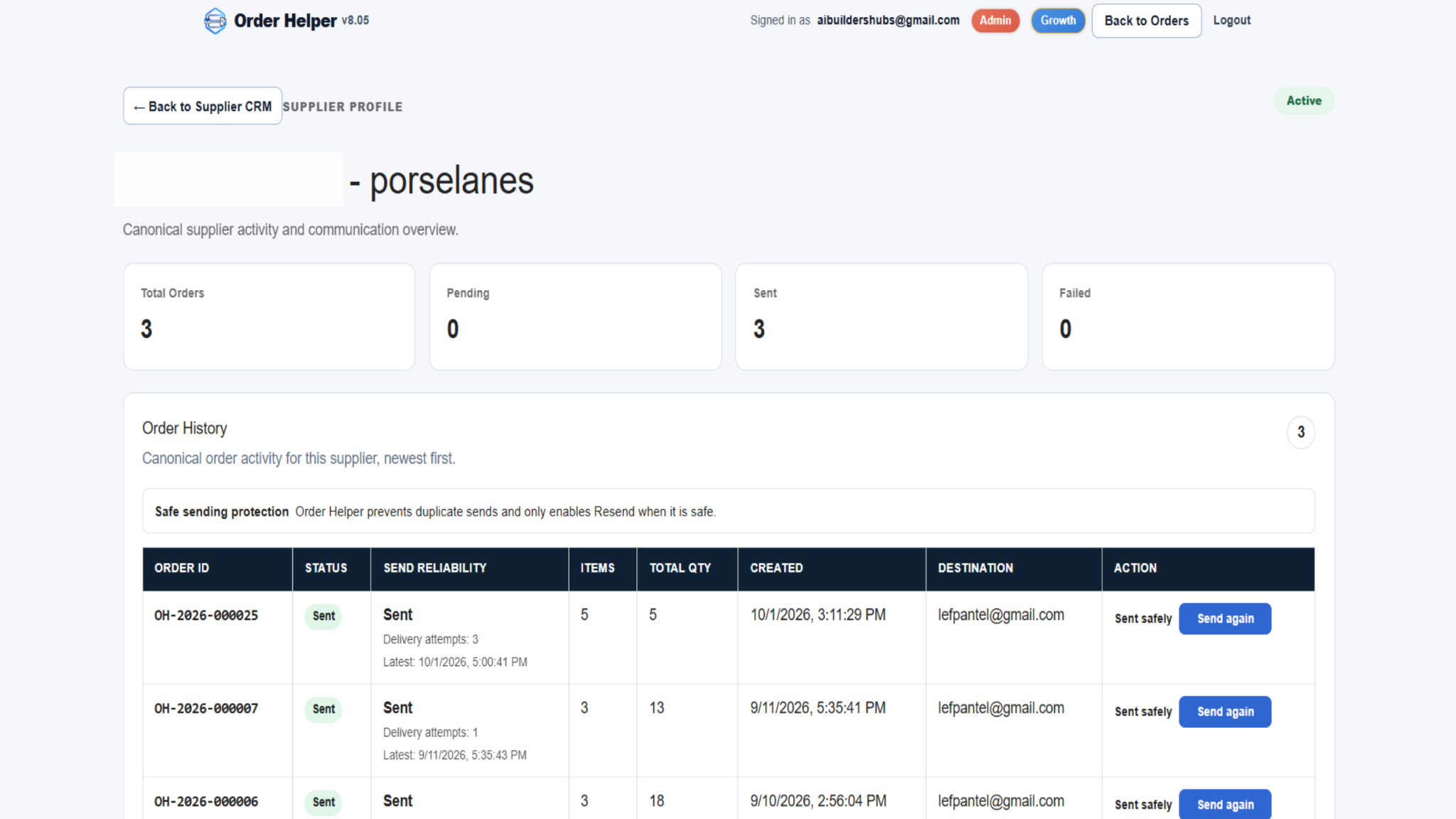
Supplier CRM connects order activity with communication context, helping the next team member understand what happened without searching across separate inboxes and spreadsheets.
Supplier list
Find the supplier and identify what needs attention
Start from the Supplier CRM list. Search directly or use the status filter, then compare the order and communication signals before opening the profile.
Supplier profile
Open the complete operational history
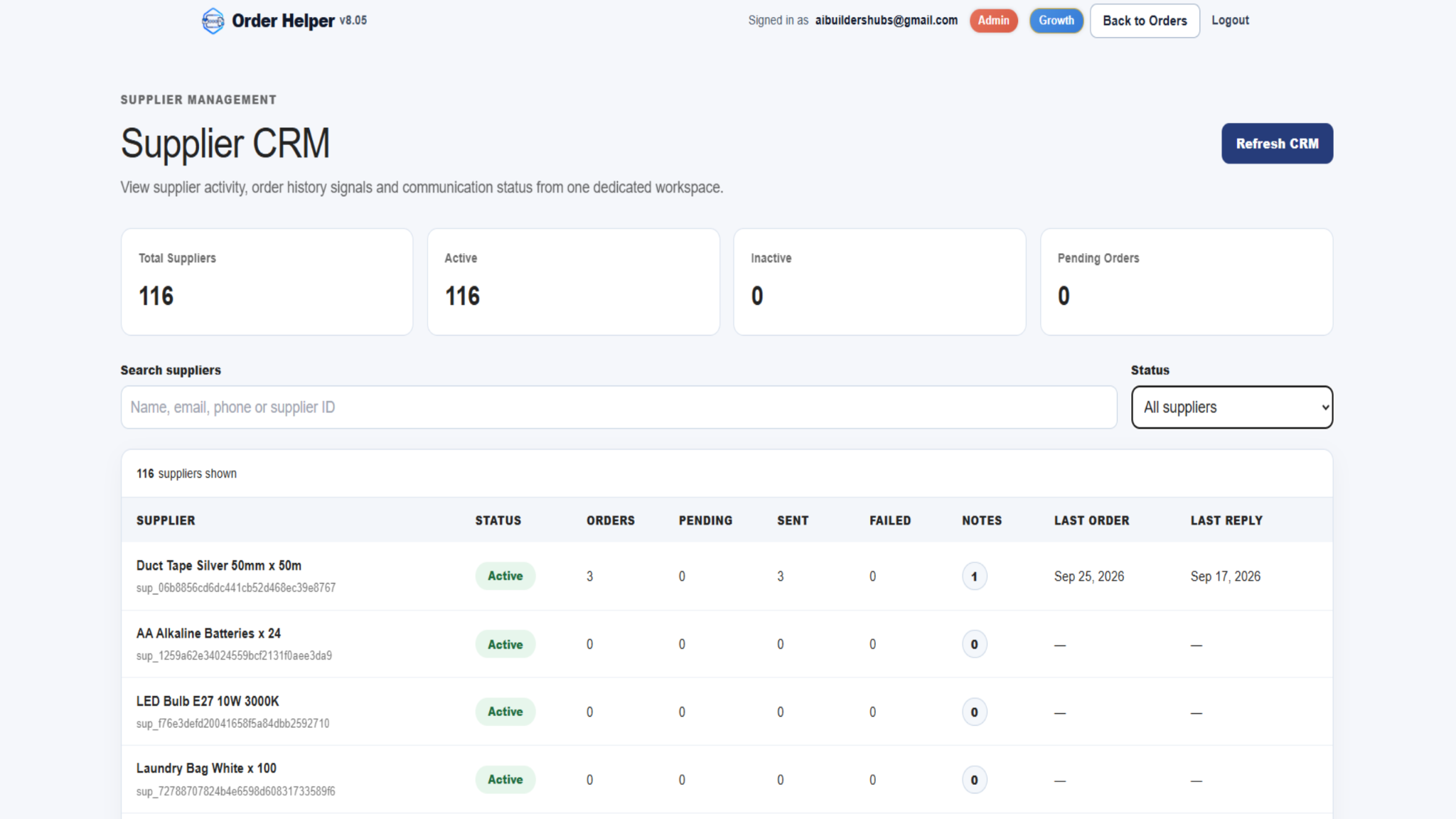
The supplier profile gives context for each order and makes it easier to verify what was sent, when it was created and which destination was used.
Use Send again only after checking the full order row
Order Helper applies safe-sending protection and presents the resend action with the order history. Before using it, confirm the Order ID, status, destination and delivery information. Never resend simply because a supplier has not replied yet.
Reply timeline and internal notes
Separate supplier communication from team-only context
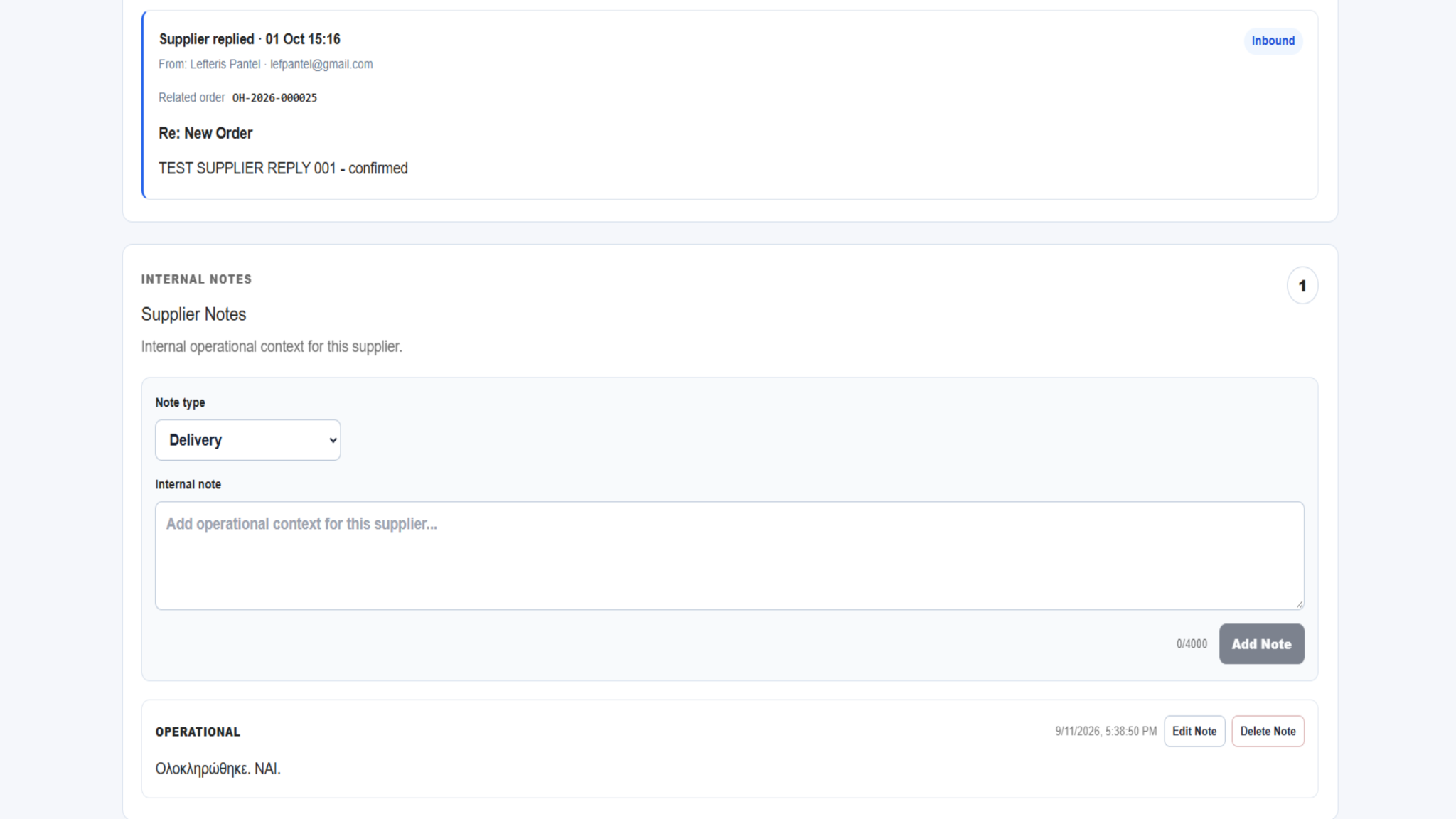
Inbound replies and internal notes serve different purposes. Use the timeline to understand what the supplier sent and notes to preserve concise operational context for your team.
Reply Timeline
Review the sender, date, related Order ID, subject and reply content. Use these details to understand which order the supplier is discussing.
Internal Notes
Select a suitable note type and add short, factual context that will help your team continue the relationship. Notes can be edited or deleted when the information changes.
Good CRM practice
Keep the record useful for the next person
The value of Supplier CRM grows when every team member records consistent, relevant information and checks the existing history before acting.
Quick troubleshooting
If the CRM does not show what you expect
Refresh the CRM and verify the supplier and Order ID before changing data or attempting another send.
Ready to review supplier activity?
Open Supplier CRM and start from the supplier record. For support, email support@aibuildhubs.com and include the relevant Order ID.